Quick answer: A control room video wall is a grid of LED or SMD panels that shows live feeds, maps, dashboards and alarms to operators who watch them all day. The right setup starts with the viewing distance, then picks a pixel pitch that is fine enough for the operators’ seats, a processor that can handle every source at once, and a power and spare-parts plan that keeps the wall running around the clock. This guide walks through each decision in the order most projects need them, so you can brief a supplier with clear numbers.
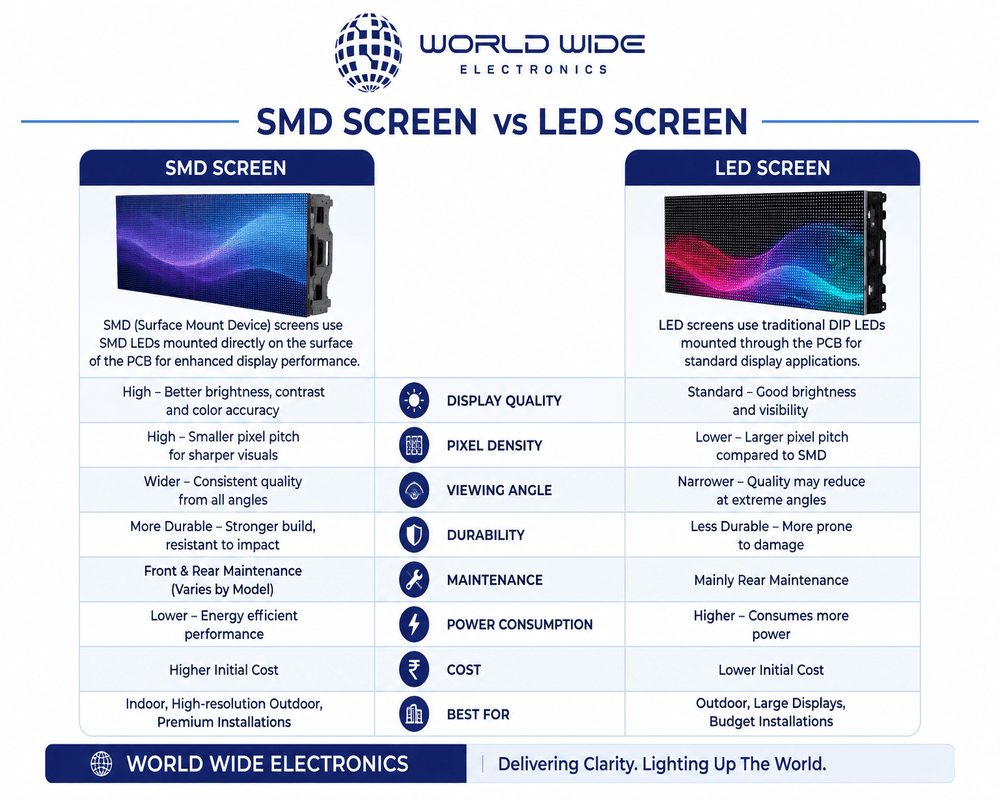
Control rooms are different from most indoor screen projects. Our fine pitch indoor SMD screens cover the sizes and pitches usually used in these rooms, but the planning comes first. The screen is not for a crowd passing by. It is for a small team sitting at fixed desks, reading small text, for hours at a time, often with no break in operation. A wall that looks impressive in a showroom can still fail the people who use it every day. If you are planning a wall for a security centre, traffic room, network operations room or utility dispatch, the points below are where most projects need to start.
Start With the Viewing Distance
Pixel pitch is the distance from the centre of one LED pixel to the centre of the next, measured in millimetres. A smaller number means more pixels per metre and a sharper image up close. The right pitch depends on how close the nearest operator sits, not on how big the room looks.
A common rule of thumb is that each millimetre of pixel pitch needs about one metre of viewing distance before the individual pixels become hard to see. This is a starting point only. Operators reading small text on maps or log files usually need a finer pitch than a general monitoring wall, and the rule works best when you measure from the front row of desks, not from the back of the room. Ask for a drawing that shows the nearest seat, the farthest seat and the centre of the wall, then check each one against the pitch you are considering.
A control room often has two or three viewing zones. The operators at the desks are the close group. A supervisor standing at the back may only need to read large status blocks. Plan for the close group and make sure the important information is also readable from the back.
Choose the Right Size and Shape
The wall size follows from the number of sources you need to show and how big each one must be. Many control rooms use a grid of equal tiles, because it is easy to expand later. Others use one large centre image with smaller feeds around it. Both work, but the choice affects the processor, the cabinet count and the cost, so decide it early.
- Equal grid: simple to operate and to extend. Every feed has the same size, which suits monitoring of many similar sites.
- Mixed layout: one large main image with smaller windows. Useful when one source, such as a map or a live camera, must dominate the wall.
- Curved or angled wall: can improve the view for operators at wide desks, but needs extra structure and careful calibration.
Check the ceiling height, the depth of the room and the route for cables before you fix the size. A wall that is too tall for the room can be hard to reach for service, and a wall that is too close to the desks can make the operators tilt their heads for hours.
Plan the Video Wall Processor
The video wall processor is the brain of the system. It takes the inputs from computers, cameras and other sources, scales them and places them on the right part of the wall. A good processor is chosen for the number of inputs and outputs you need today, plus room for growth, and for how easily operators can change layouts under pressure.
Ask the supplier to confirm the following before you accept a quote:
- Input count and types: how many feeds, at what resolution, and over which connections such as HDMI, DisplayPort, SDI or network video.
- Layout control: whether operators can move windows with a touch screen, keyboard or control software, and whether preset layouts can be saved for shift changes.
- Latency: the delay between a camera or source and the wall. For live monitoring, a short and steady delay matters more than a high peak resolution.
- Scaling quality: how the processor handles text and fine detail when a source is scaled down to a small window.
The sending and receiving cards inside the LED cabinets are also part of the chain. Our explainer on sending card vs receiving card shows how the signal reaches each cabinet, which helps your team understand where a fault might sit.
Design for 24/7 Operation
Most control rooms run without a pause. A screen that works well for a few hours a day in a showroom may age faster and need service sooner when it runs non-stop. Design for continuous running from the start rather than adding it later.
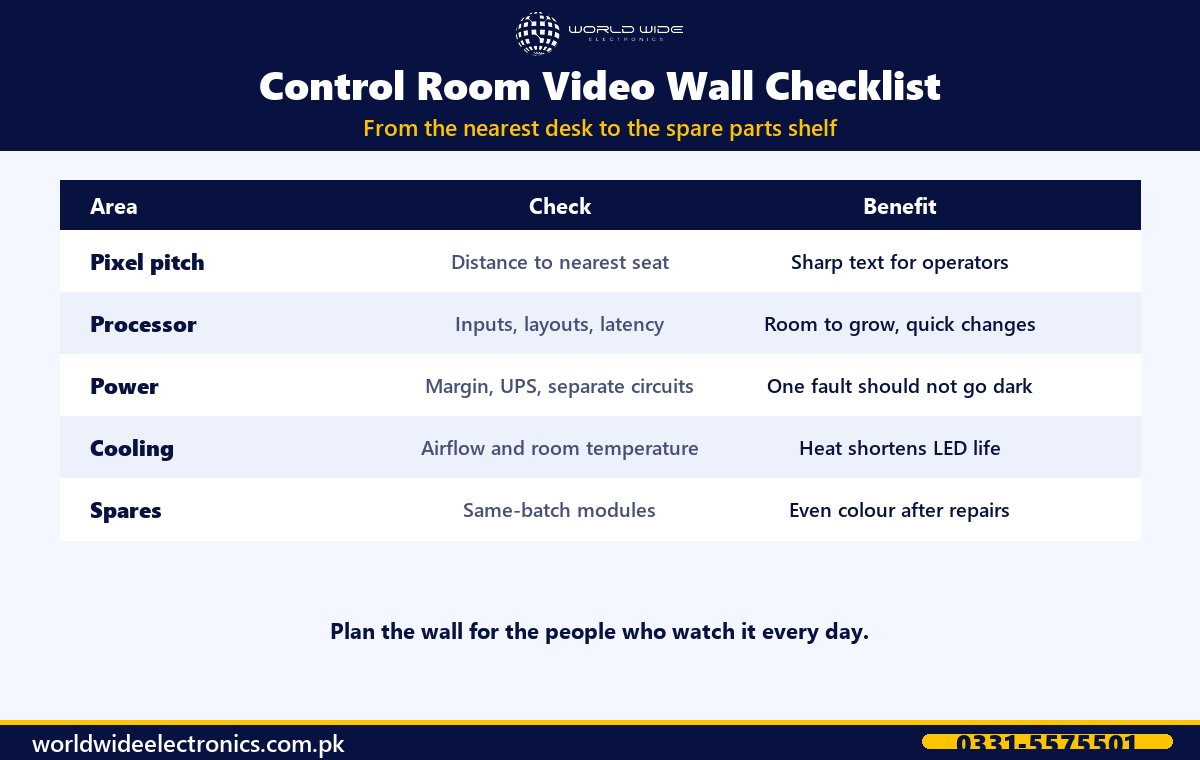
| Area | What to specify | Why it matters |
|---|---|---|
| Cooling | Airflow path, room air conditioning and temperature limits | Heat shortens LED life and causes early dimming |
| Power | Power supplies sized with margin, UPS backup and separate circuits | A single supply fault should not darken a whole wall |
| Redundancy | Dual feeds, backup processor or a fallback layout | Operators need a working view while a fault is fixed |
| Spare parts | Spare modules and power supplies from the same batch | Matching batches keep colour and brightness even |
| Brightness | Set to the room’s real light level, with auto dimming if available | Excess brightness adds heat and tires the eyes |
The table is a checklist, not a full design. Ask the supplier to show how each row is handled in the proposal, with the model numbers and the expected service intervals. A written answer is more useful than a verbal promise.
Plan the Room Around the Screen
The wall is only one part of the room. Ambient light changes how the screen looks, and a room with bright windows or overhead lights may need a different brightness setting from a darker one. Glare on the desks can also hurt readability more than a slightly lower pixel pitch would.
Think about these points during the layout review:
- Position the wall so that windows do not shine directly on the screen face.
- Keep consistent lighting across the room, so operators do not have to adjust their eyes between the wall and their desks.
- Leave access at the back and sides for service, with enough space to remove cabinets safely.
- Place the processor and power equipment in a ventilated rack room, away from the operators.
For a wider view of how indoor screens fit into offices and meeting spaces, see how corporate offices use SMD screens. Many of the same planning steps apply to executive briefing rooms.
Compare the Wall With Other Options
Control rooms have used LCD video walls for many years, and some still do. An LED wall has no bezels between panels, so the image looks continuous, and it can be built to a larger size without a large frame. An LCD wall is often simpler to service for small sizes and may suit a room with very limited space. Our comparison of LED video wall vs LCD video wall sets out the trade-offs in more detail.
Questions to Ask a Supplier
Before you sign a contract for a control room wall, ask the supplier to answer these questions in writing:
- What pixel pitch do you recommend for the nearest seat, and what is the calculation?
- Which processor is proposed, and how many inputs does it support today and after expansion?
- What power supply and UPS arrangement is included, and what happens if one supply fails?
- How many spare modules and power supplies are included, and are they from the same batch?
- What is the service response time, and who carries out repairs on site?
- Can you provide a reference installation of a similar room that runs continuously?
A clear answer to each question shows that the supplier has planned for the way the room will actually be used.
Common Mistakes to Avoid
- Choosing pitch from the price list: a cheaper, coarser pitch may look fine in a demo but fail the operators at their desks.
- Buying a processor for today only: a room that grows will need more inputs, and replacing a processor is costly.
- Skipping the backup plan: a single power or processor fault should not leave operators without a view.
- Ignoring heat: a wall in a closed room with no air change will age faster and dim unevenly.
- Forgetting service access: a wall that cannot be opened from the back will take longer and cost more to repair.
Related guides: SMD LED Screen for Conference Rooms and How Long Does an LED Screen Last? Lifespan and Brightness Loss.
Frequently asked questions
What pixel pitch is best for a control room video wall?
There is no single answer. Use the distance from the nearest operator seat as the main input. A finer pitch suits close desks and small text, while a coarser pitch can work where the wall is viewed from further away. Ask the supplier for a calculation based on the actual seating plan.
Can a control room video wall run 24 hours a day?
Yes, if it is designed for continuous operation. That means adequate cooling, power supplies with margin, a UPS, and a service plan with spare parts. Ask the supplier to confirm the running hours they design for and how the components are rated.
Do I need a separate processor for each wall?
Usually one processor serves the whole wall, but a large or multi-room installation may need more than one. Confirm the input and output count, and check whether the system can add inputs later without replacing the processor.
How often should a control room wall be serviced?
Plan a regular inspection schedule, with cleaning of vents and filters, a check of power supplies and a calibration review. The exact interval depends on the environment and running hours, so agree on it with the supplier before installation.