Quick answer: SMD screens for auditorium use are a practical choice for schools and universities that hold assemblies, convocations, exams results days and performances. An SMD screen is a seamless LED display that stays readable in a lit room, needs no projector or dark curtains, and runs for long hours with a simple controller. The right size depends on the back row distance, the pixel pitch and the stage layout. Plan these three things first, then the budget.
Many school and university administrators ask whether an LED screen is worth the cost for a hall that is used only a few times a term. This guide, written by the team behind our SMD screens for auditoriums work in Pakistan, explains how to choose the screen, what to check on site and what to ask a supplier before signing. It is written for principals, admin heads, estate teams and event committees who need a clear plan, not a sales pitch.
Why Auditoriums Need a Different Screen Plan
An auditorium is a long room with seats in rows, a stage at one end and a large audience that must see slides, video and speakers clearly. Unlike a classroom, the back row can be far from the front, the ceiling is often high and the lights are usually kept on during talks so that students can read and take notes. The screen must work in that light, and it must look good from every seat.
School and university halls also have a mix of uses. The same room may host a morning assembly, a guest lecture, a parents’ meeting, a sports awards night and a formal convocation. A screen that suits only one of these uses will leave the rest of the calendar underused, so the plan should cover all of them.
SMD Screen vs Projector in an Auditorium
Most auditoriums start with a projector and a white screen. That setup works, but it has limits that become clear over time. A projector image is usually weak when the room lights are on, so the blinds must be closed and the lights dimmed for every presentation. Presenters often stand in the beam and cast shadows on the slides. The projector lamp or light source has a fixed life, and the replacement cost comes back every few years.
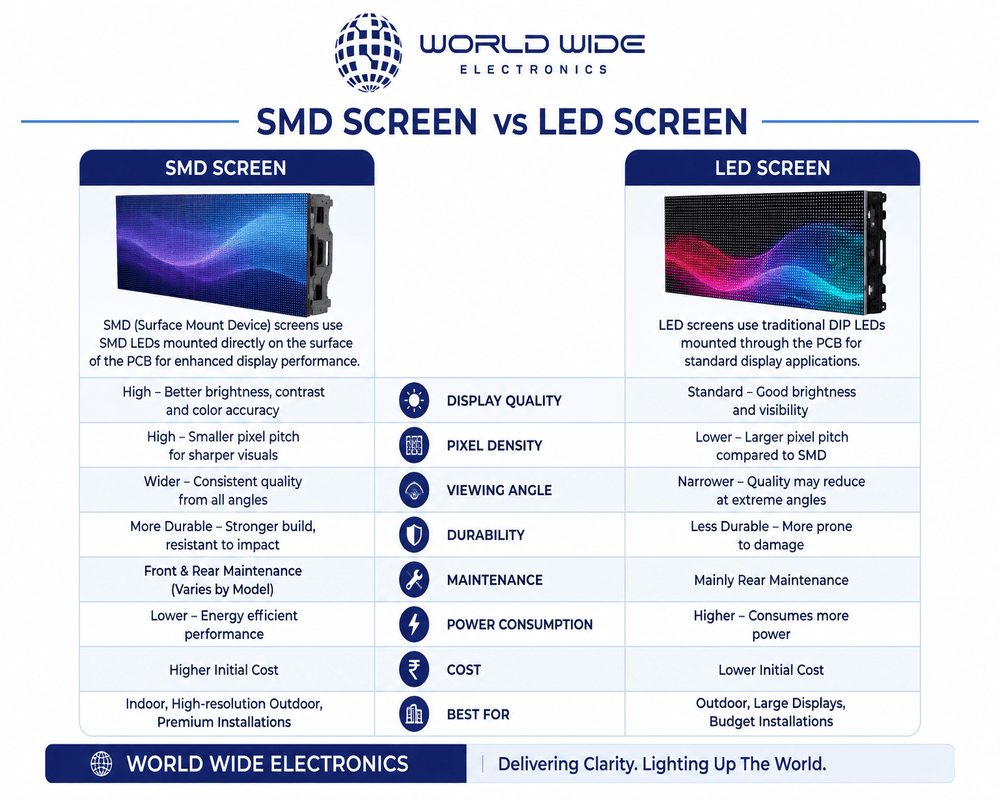
An SMD screen works differently. It is a flat panel built from surface-mounted LED modules, so the image is bright enough to read with the lights on and the picture does not depend on a dark room. There is no lamp to replace in the same way, and the image is not blocked by a speaker standing in front of it. The trade-off is a higher upfront cost, and the need for a proper structure, power supply and controller. For a hall that is used often, the total cost over several years is worth comparing, not only the first quote.
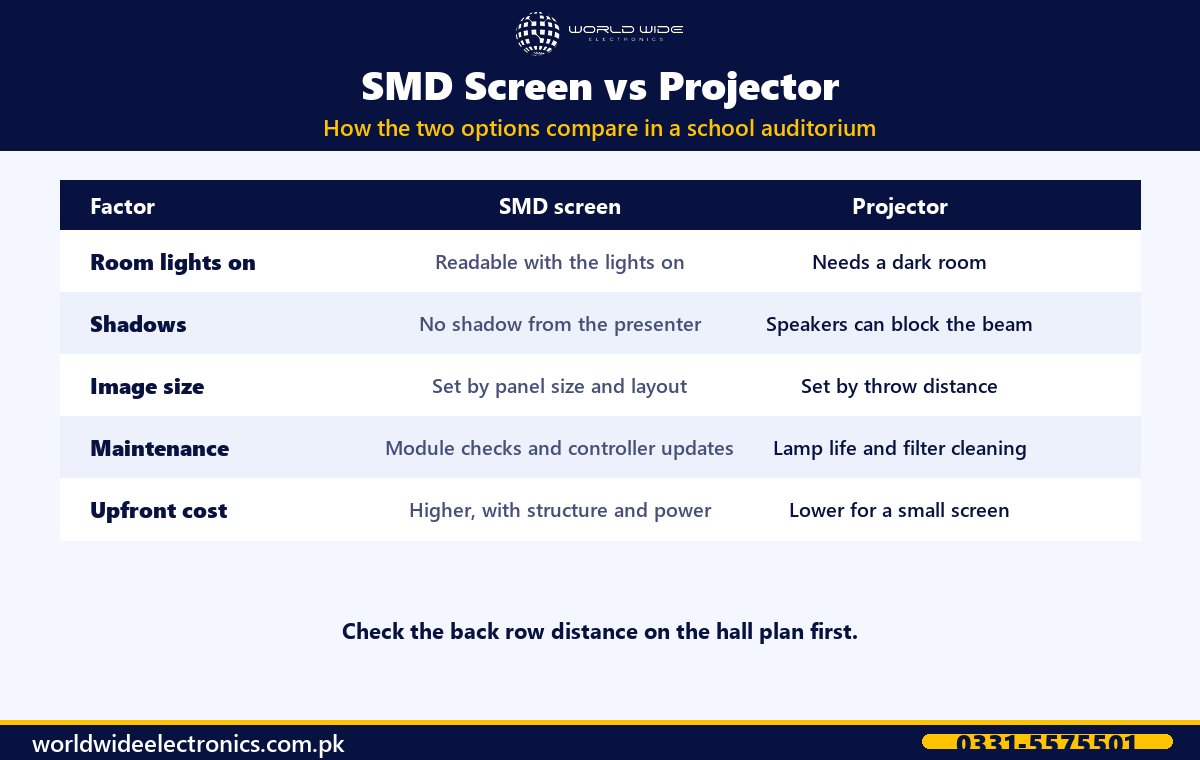
| Factor | SMD screen | Projector and screen |
|---|---|---|
| Room lights on | Readable with the lights on | Needs dark room or dimmed lights |
| Presenter shadows | No shadow on the image | Speakers can block the beam |
| Image size | Set by the panel size and layout | Set by the throw distance and screen size |
| Maintenance | Module checks, cleaning, controller updates | Lamp life, filter cleaning, alignment |
| Upfront cost | Higher, with structure, power and controller | Lower for a small screen |
| Best use | Halls used often, with mixed daytime and evening events | Occasional use in a room that can be darkened |
Choosing the Screen Size for Your Hall
Auditorium screen size is best set by the back row, not by the front. The person in the last seat must be able to read a slide title and follow a speaker’s face or a video clip. The viewing distance from the screen to the back row, the room width and the height of the stage all shape the right size. Measure these on site with a tape before you ask for a quote. A clear plan for the auditorium screen size also helps the committee compare quotes on the same basis.
A common mistake is to buy a screen that looks large in the showroom but is small once it sits in a 300-seat hall with the stage at one end. Ask the supplier to show the screen size on a plan of your room, with the back row marked. Our guide to SMD screen sizes and pixel pitch explains how the viewing distance links to the pixel pitch, and why a finer pitch is needed for seats close to the screen.
Pixel Pitch for Students and Staff
Pixel pitch is the distance between the centres of two neighbouring LEDs. A smaller pitch gives a sharper image, which matters when the screen is close to the first rows or shows small text. A larger pitch can be enough for a hall where the front row is far from the screen and the content is mainly large graphics and video. The right choice depends on what the school will show. A slide deck with small text needs a finer pitch than a stage backdrop with large pictures.
Ask the supplier to explain the pitch in terms of your seating, not only the technical sheet. A good supplier will show what the audience will see at the front row and at the back row, and will say which content looks best on the chosen screen.
Stage Layout, Sound and Lighting
The screen is only one part of the auditorium. It must fit the stage, the lighting plan and the sound system. A screen hung too low can block the stage lights or the view from the side seats. A screen placed behind the speakers’ podium can be hidden by the podium. Mark the stage on the plan, include the lighting bars and check the sightlines from the balcony if the hall has one.
Sound must match the picture. When a speaker’s voice reaches the back row after the picture changes, the audience notices. Ask who will manage the sound sync and who will control the screen during a live event. This applies to every school event, from a class prize day to a university ceremony, and a convocation screen for a large stage needs the same planning. If your hall already has a sound team, include them in the planning from the start.
Power, Structure and Controller
A large screen needs a strong structure, safe mounting and a stable power supply. The structure must be designed for the panel weight and the wind load in the case of an outdoor screen. For an indoor auditorium, the mounting must be checked against the wall or the ceiling, and the work must be done by a trained team. The power supply should be on a dedicated circuit with the right protection, and the controller should be in a secure, ventilated place.
Ask the supplier for the total power draw, the mounting method and the controller model. Ask who installs the controller and who trains the staff on it. A screen that no one on staff can operate will be used less, however good the panel is.
Budget and Procurement Planning
Schools and universities often buy through a formal procurement process. The quote should show the panel, the structure, the power, the controller, the installation, the training and the warranty terms in separate lines. This makes it easier to compare suppliers and to explain the decision to the board or the finance office.
Check the warranty as carefully as the price. Ask which parts are covered, how long the cover lasts, how a fault is reported and how long a replacement module takes to arrive. Ask for the local service contact and the spare module plan. Our note on what an SMD screen warranty should cover lists the questions that matter before you order.
Common Mistakes to Avoid
- Choosing the size from the showroom: the back row must be checked on the actual hall plan.
- Ignoring the lights on the day: a screen that only works in a dark room will not suit daytime assemblies.
- Skipping the sound sync: the picture and the voice must match, or the talk loses its impact.
- Buying without a controller plan: staff need to know who sends the content and how it is scheduled.
- Forgetting the power and structure: these are part of the real cost and the safety check.
Questions to Ask Your Supplier
A good supplier should answer these questions in writing before you sign:
- What screen size is right for the back row of our hall, and can you show it on our plan?
- Which pixel pitch do you recommend for our seating, and why?
- How will the screen perform with the lights on during a daytime assembly?
- How is the screen mounted, and who checks the structure?
- What is the total power draw, and what circuit is needed?
- Which controller is supplied, who installs it and who trains our staff?
- What does the warranty cover, and how quickly is a faulty module replaced?
Related guides: SMD LED Screen for Conference Rooms and SMD Screen Sizes and Pixel Pitch Guide.
Frequently asked questions
Is an SMD screen better than a projector for a school auditorium?
It depends on how often the hall is used. An SMD screen is usually the better choice for a hall used often with the lights on, because the image stays readable and does not need a dark room. A projector can suit a hall used only occasionally, where the room can be darkened and the budget is limited.
What screen size should a university auditorium use?
There is no single size. The right size depends on the distance to the back row, the width of the hall and the height of the stage. Measure the hall on site and ask the supplier to show the screen on a plan of your room before you choose.
Do I need a special pixel pitch for an auditorium?
Usually yes, because the seats are at different distances from the screen. A finer pitch suits front rows and small text. A larger pitch can be enough for big graphics and video in a hall with a long viewing distance.
Who should be involved in planning an auditorium screen?
Include the principal or admin head, the estate team, the IT or AV person who will run the content, the sound team and the finance office. Early input from these people avoids changes to the structure, power and budget later.