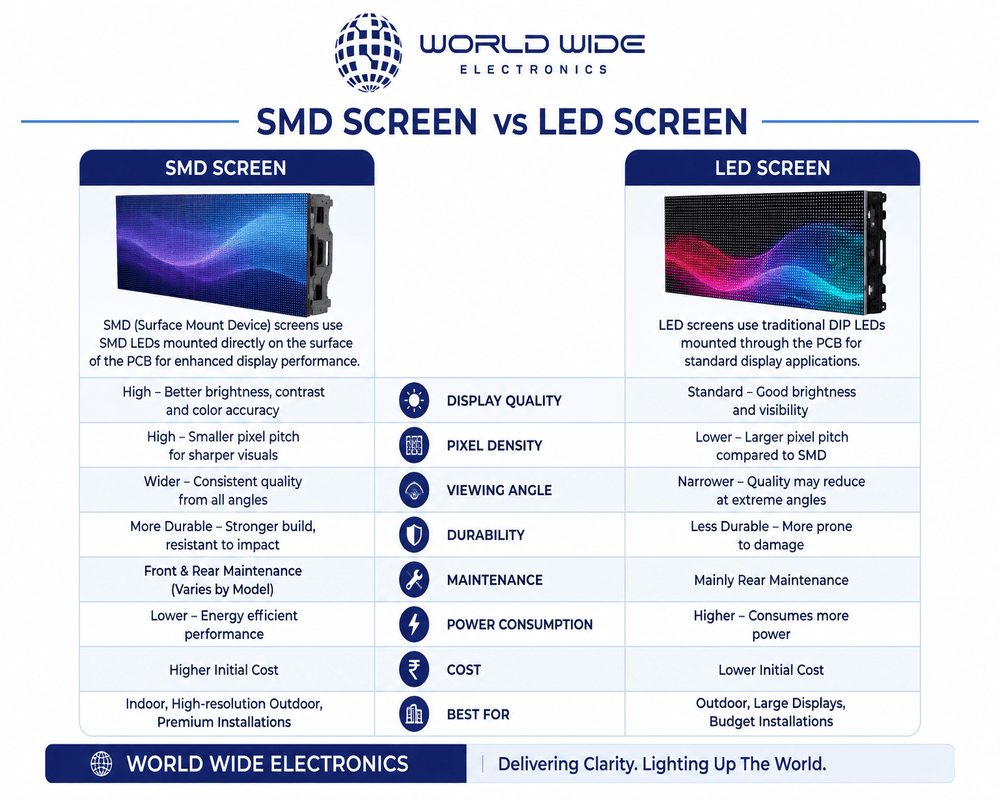
Quick answer: An SMD screen warranty should cover the LED modules, power supplies and control hardware for a stated period, with a clear claim process and a supplier who can send spare modules quickly. Ask for the terms in writing before you pay, check what is excluded, and confirm who handles the claim. The warranty is only as useful as the local support behind it.
When you buy an SMD screen, the warranty is one of the few promises that protects you after the installation team has left. Many buyers read the first page of a quotation, see a number of years and move on. This guide explains what a SMD screen warranty normally covers, what it usually leaves out, and the questions that will tell you whether the promise will hold up when a module fails. If you are comparing brands, start with our authorised Absen distributor page to see which products we supply and how they are supported.
What an SMD Screen Warranty Usually Covers
A screen is a system of many parts, and each one can fail in a different way. A typical warranty is written around these groups:
- LED modules. The SMD lamps and the driver chips on each module. A dead pixel block or a dim module usually falls here.
- Power supplies. The units that convert mains power to the low voltage the modules need. These are among the most common parts to fail in the first months of use.
- Receiving cards and control hardware. The cards that receive the picture from the sending box and pass it to each module. A fault here can blank a whole section of the screen.
- Cabinets and cables. Some suppliers cover the cabinet frame and connectors, others do not. This is a point to check, not to assume.
Warranty terms differ between brands and between suppliers. Two screens with the same pixel pitch can come with very different cover, so compare the written terms, not the sales pitch.
What a Warranty Usually Leaves Out
Almost every warranty has exclusions. Knowing them early avoids an unpleasant surprise when you make a claim. The most common ones are:
- Water and moisture damage to an indoor screen, or a damaged IP rating on an outdoor screen that was opened or fitted without the correct sealing.
- Physical damage from impact, falling objects, vandalism or a cable pulled during rigging.
- Electrical damage from unstable power, the wrong voltage or no surge protection. Our guide to SMD screen power consumption explains how to size the supply and backup correctly.
- Normal wear such as gradual brightness loss over many years, which is expected from any LED product.
- Work by an unauthorised person who opened the cabinet, changed modules or flashed the controller without approval.
If an exclusion is vague, ask for a plain example. “Misuse” should be explained in writing, not left to the claim team to decide later.
The SMD Screen Warranty Claim Process
A warranty is only as good as the claim process behind it. Before you buy, ask the supplier to walk you through what happens when a module fails:
- Report. You send the fault, ideally with a photo or short video, the screen serial number and the date it was installed.
- Diagnose. The team checks whether the fault is in the module, the power supply, the receiving card or the content and settings. Many faults turn out to be a loose cable or a wrong setting, which should be solved on the spot.
- Replace. A faulty module or part is swapped for a good one. Ask whether the replacement is new, refurbished or taken from stock, and whether it matches the original batch.
- Close. The team tests the screen after the swap and confirms the fault is cleared in writing.
Ask how long each step takes in practice. A claim that waits weeks for a part to arrive from overseas can keep a shop front or a stage dark for the whole season.
Why Spare Modules Matter More Than the Number of Years
A long warranty does not help if the replacement part is not available. This is the point that buyers most often miss. A screen usually has a small number of modules that fail in the first year, and the spare modules for that model need to be in the country when they are needed.
Ask three things about spares:
- Are spare modules stocked in Pakistan, or do they come from abroad each time?
- Are the spares for your exact model, pixel pitch and cabinet size?
- Does the supplier keep a small stock for each project, or only sell the screen?
A supplier that holds spares can usually restore a faulty section within days. A supplier that orders on demand may need weeks, and the screen stays dark in the meantime.
Authorised Distributor Warranty vs Buying Through a Trader
The warranty you receive depends on who sold you the screen. An authorised distributor is registered with the manufacturer and can raise a claim directly, using the product records and the factory’s support process. A trader who imports the screen on their own account may not have that link, and the claim can end up with a courier and an email chain.
Ask the seller to show the authorisation in writing and to confirm that the warranty is issued in their name. Our guide to top SMD screen suppliers in Karachi lists the questions to ask any supplier, including how they handle after-sales service. For a broader view of the screen types and what each one costs to run, read our SMD screen buying guide.
LED Screen After Sales Service: What to Expect After Installation
Warranty is one part of after sales service. The rest is what happens in the months after the screen is switched on:
- Preventive checks. A visit or remote check every few months to look at brightness, colour balance and dead pixels.
- Cleaning and ventilation. Dust builds up on the cabinet vents and reduces cooling. Ask who cleans the front and rear of the cabinets.
- Software support. Content players, controller firmware and brightness schedules need updates from time to time.
- Response time. Agree in writing how quickly the team responds during an event or a live campaign.
Ask the supplier which faults the owner can fix without calling anyone, such as a loose data cable or a wrong brightness setting. Writing that list down saves a claim for a problem that takes five minutes to solve.
How to Protect Your Warranty From Day One
Most warranty disputes come from the installation and the first weeks of use, not from a faulty module. Simple steps help:
- Keep the purchase invoice, the serial number list and the installation photos in one folder.
- Record the brightness and the fault-free state of the screen on the day it is switched on.
- Do not open the cabinets or change modules yourself. Call the supplier first.
- Use a surge protector and a stable power supply, and check the earthing before the first switch on.
- Keep the screen away from water, dust and direct impact while it is being rigged.
Our installation process guide shows the checks a proper installation team makes before the screen goes live, from the site survey to the first switch on.
Questions to Ask Before You Sign
Use this list when you compare two quotations. A supplier who answers each question clearly and in writing is easier to work with after the sale.
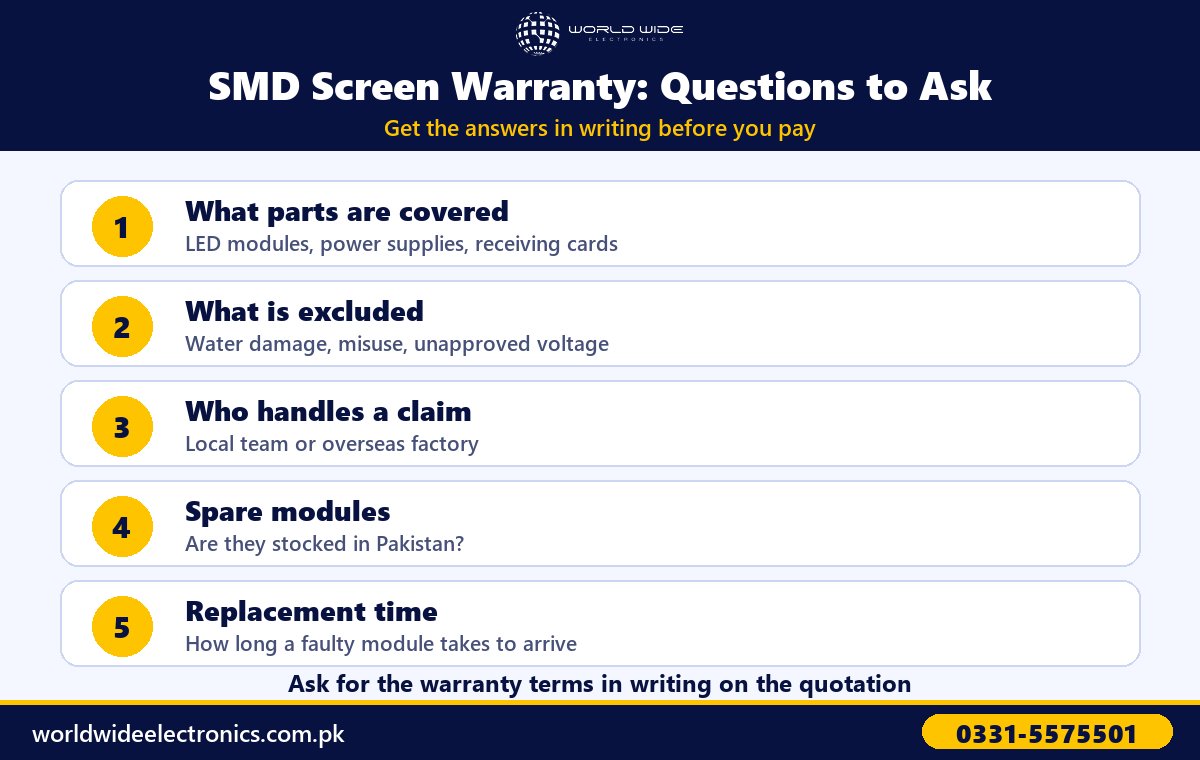
- Which parts are covered, and for how long?
- Which damages are excluded, and can you give an example of each?
- Who handles the claim: a local team or an overseas factory?
- Are spare modules stocked in Pakistan for my model and pixel pitch?
- How long does a faulty module take to be replaced?
- Who cleans and checks the screen after installation, and how often?
- Will the warranty be issued in my name and on the invoice?
Related guides: SMD Screen Buying Guide for Pakistan and Top SMD Screen Suppliers in Karachi.
Frequently asked questions
Does an SMD screen warranty cover dead pixels?
A warranty usually covers faulty LED modules that stop working or show a fault that cannot be cleared by a setting change. The written terms should say how many dead pixels or dead modules count as a fault, and how replacement is handled. Ask for that threshold before you buy.
What is the difference between a warranty and after sales service?
The warranty is the written promise to repair or replace covered parts. After sales service is the day-to-day support: checks, cleaning, software updates and response time during an event. A good supplier offers both, and both should be in the quotation.
Can I claim the warranty if I bought from a trader?
It depends on whether the trader has a link to the manufacturer and can raise the claim. Ask the seller to show their authorisation in writing and to confirm that the warranty is issued in your name.
What should I do if a module fails during an event?
Call the supplier straight away and send a short video of the fault. Ask the team to isolate the faulty section so the rest of the screen keeps running. Keep a record of the time and the response, because it will help if the claim is disputed.