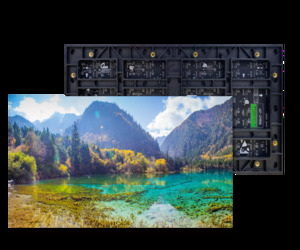
A new SMD screen looks simple once it is running: a bright, seamless wall of video. Getting there takes careful work in a fixed order, and most problems people see later, such as visible seams, dark patches, flickering or tripping breakers, go back to a step that was rushed. This guide explains the SMD screen installation process from the first site survey to the moment the screen is switched on and handed over. It also covers what you should prepare on your side. If you are planning a fixed indoor or outdoor display, our SMD screen supply and installation team handles every stage below, so you know what to expect and when.
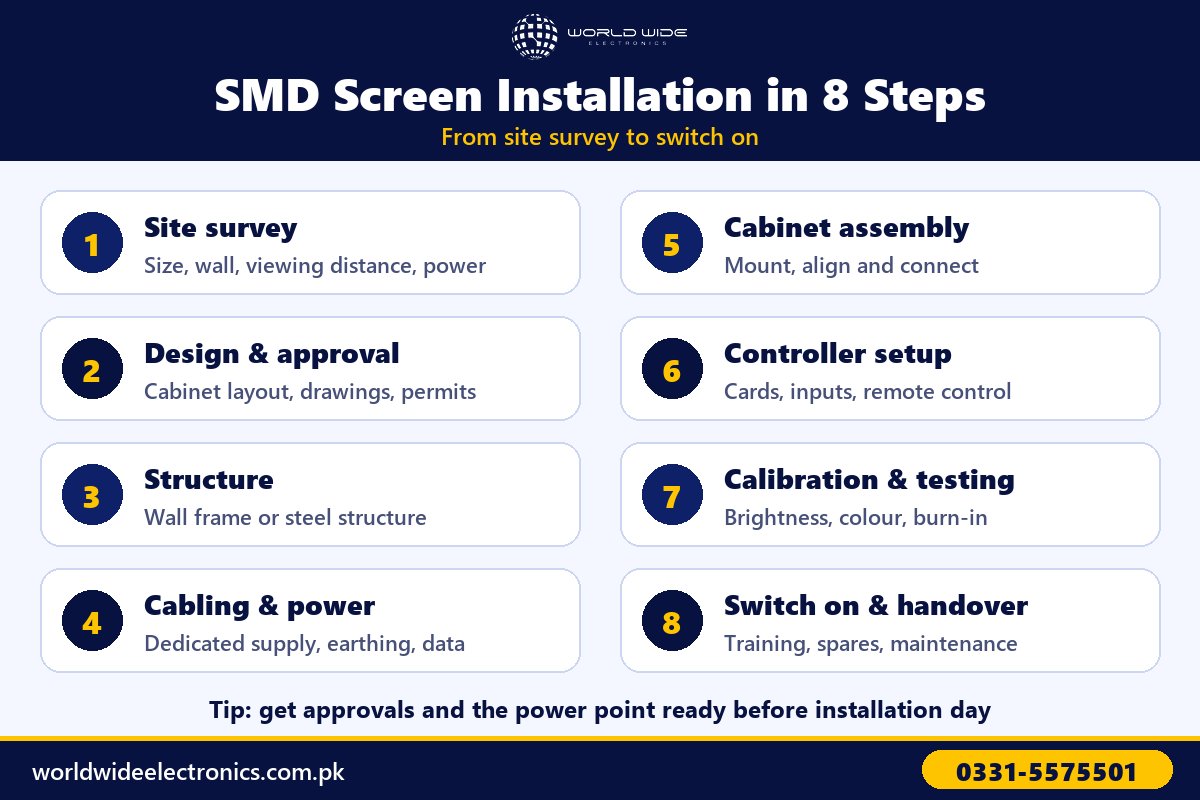
The SMD Screen Installation Process at a Glance
Every project is different in size, but the stages are the same for a small shop display and a large outdoor billboard.
| Stage | What happens | What you provide |
|---|---|---|
| 1. Site survey | Measurements, wall or ground check, viewing distance, power and access | Access to the site and the building’s contact person |
| 2. Design and approval | Screen layout in cabinets, structure drawing, power and data plan | Sign-off, plus any building or authority approvals |
| 3. Structure | Wall frame, ground-standing frame or steel structure | A clear work area and agreed working hours |
| 4. Cabling and power | Dedicated supply, earthing, power distribution and data cables | A power point to the agreed specification |
| 5. Cabinet assembly | Cabinets mounted, aligned and connected | Nothing, other than site access |
| 6. Controller setup | Sending and receiving cards configured, inputs connected | Internet access if you want remote content control |
| 7. Calibration and testing | Brightness, colour, uniformity and a burn-in run | Your content, ready in the right resolution |
| 8. Handover | Training, documents, spare modules and maintenance plan | The staff who will run the screen day to day |
Step 1: Site Survey
The site survey is where the real project starts. A technician visits the location and records everything that affects the screen, the structure and the cost. The main points checked are:
- Size and position: the wall, roof or ground area available, and the exact height the screen will sit at.
- Viewing distance and angle: where people will stand, walk or drive past. This decides the pixel pitch and the size that will look sharp. Our SMD Screen Sizes and Pixel Pitch Guide explains how the two connect.
- Wall or ground strength: whether a brick wall, concrete, glass front or roof can carry the weight, or whether a separate frame is needed.
- Sun and weather (outdoor): direction of direct sunlight, rain exposure and wind, which affect brightness, sealing and the structure.
- Power source: distance from the distribution board and whether the existing supply can carry the extra load.
- Access: space for unloading, ladders, scaffolding or a lifter, and whether work must be done after business hours.
Bring up anything unusual during the survey, such as a mall’s restricted working hours or a landlord’s rules on drilling. It is far easier to plan around these at the start than to stop work halfway.
Step 2: Design, Drawings and Approvals
After the survey, the screen is designed in whole cabinets. Cabinets come in fixed sizes, so the final screen size is rounded to the nearest full cabinet rather than an exact measurement. You then receive:
- A layout showing the screen size, resolution and cabinet arrangement.
- A structure drawing for the frame or steel work.
- A power plan showing the supply, breakers and cable route.
- A data plan showing where the controller sits and how the signal reaches the screen.
This is also the time to sort out approvals. Large outdoor screens may need permission from the building owner, a housing society or the local authority. Indoor projects in malls and offices usually need sign-off from building management.
Step 3: Building the Mounting Structure
The structure carries the weight of the screen for its whole life, so it is never the place to cut corners.
Indoor structures
Most indoor screens hang on a steel frame fixed to a solid wall, or stand on a ground-standing frame when the wall is weak or made of glass. The frame must be level and flat, because any bend in the frame later shows up as uneven gaps between cabinets.
Outdoor structures
Outdoor screens need a properly fabricated steel structure designed for wind load, with a painted or galvanised finish against rust, a foundation for pole-mounted screens, and drainage so water does not collect behind the cabinets. The design also leaves room for service access, either from the front or from a walkway behind the screen. On large facades the structure is often the longest part of the job. Our Outdoor SMD Screen Installation in Lahore project shows how much engineering goes into a big outdoor build.
Step 4: Cabling and Power
Cabling and power work runs alongside the structure. A screen that works perfectly on day one can still fail early if the supply is weak or unsafe. Good practice includes:
- A dedicated supply from the distribution board, with breakers sized for the screen, not a socket shared with air conditioners or other heavy loads.
- Proper earthing for the frame and cabinets, which protects both people and electronics.
- Surge protection and voltage stabilisation, important in areas with frequent fluctuations and load shedding.
- A power distribution box that splits the load between cabinet rows so no single cable is overloaded.
- Data cables from the controller to the screen. Network cable works over short distances; longer runs need fibre to avoid signal loss.
- Weatherproof connections outdoors, with sealed connectors and cables routed so water runs away from joints.
If you are also planning a UPS, generator or solar backup, size it before installation day. Our guide on SMD screen power consumption explains how to work out the load and the backup you need.
Step 5: Cabinet Assembly
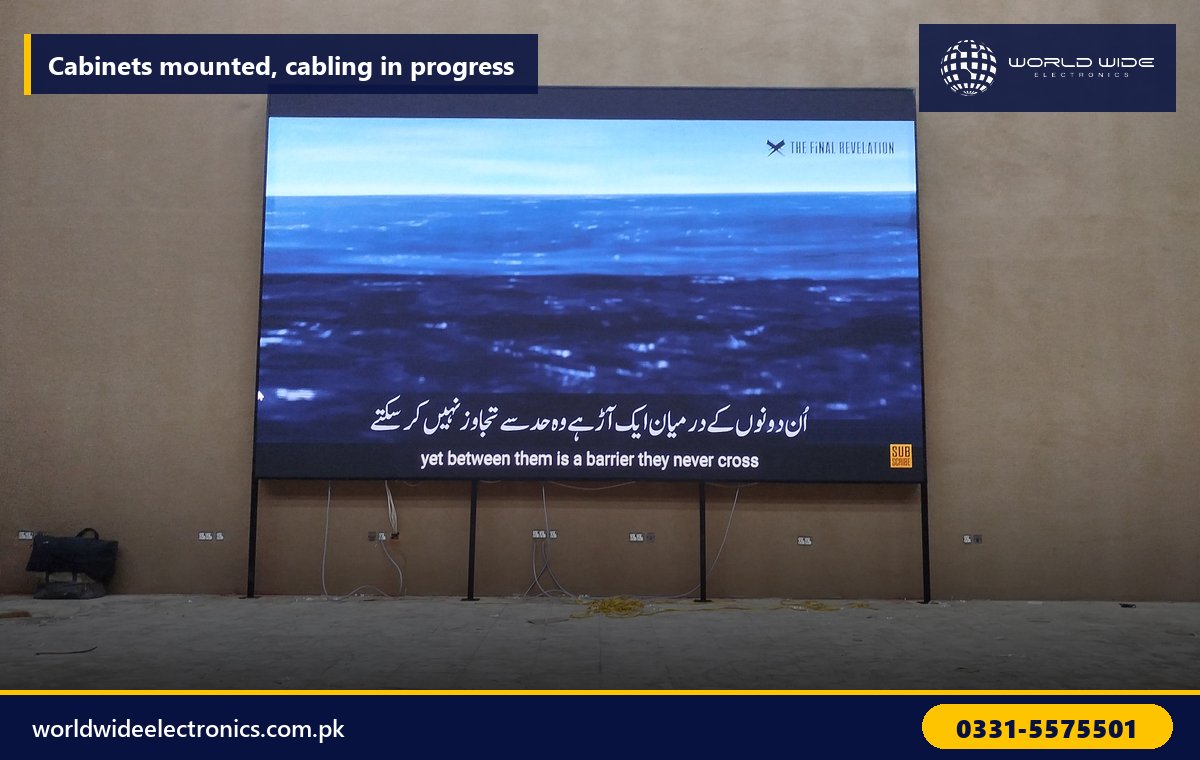
Cabinet assembly is the stage where the screen takes shape. Cabinets are usually mounted from the bottom row upwards, bolted to the frame and locked to each other. The team then:
- Checks alignment row by row, so there are no steps between cabinets and no visible lines on a plain white image.
- Connects power and data from cabinet to cabinet in the order set in the design, so the controller knows where each cabinet sits.
- Fits or checks the LED modules, handling them by the edges, because a knocked corner can damage the small LEDs.
- Keeps modules from the same production batch together, so colour stays consistent across the screen.
For outdoor screens, every cabinet seal and cable entry is checked before the next row goes up, since water and dust are the two biggest causes of early faults.
Step 6: Controller and Software Setup
The screen now needs a brain. The sending card or video processor is installed with the media player or PC, and the receiving cards inside the cabinets are configured so the picture maps correctly across the whole wall. The technician then sets the input sources, such as HDMI or a media player, the screen resolution and, if needed, remote content control over Wi-Fi or mobile data with a schedule for different times of day. You can read more about controller options on our LED controller page.
Step 7: Calibration and Testing
Calibration and testing is what turns a working screen into one that looks right. It usually includes:
- Brightness setting for the location: lower indoors to avoid glare, higher outdoors for sunlight, with an automatic brightness sensor where needed. See our guide on outdoor LED screen brightness for the details.
- Colour and white balance, so whites look white and skin tones look natural.
- Uniformity checks on full red, green, blue, white and black screens, to spot dead pixels, dim modules or colour patches.
- A burn-in run, where the screen plays content for many hours so weak components fail now, under supervision, rather than after handover.
- Restart tests, to confirm the screen and controller come back correctly after a power cut.
Step 8: Switch On and Handover
Once testing is complete, the screen is switched on with your content and handed over. A proper handover should include:
- Training for your staff on the correct switch-on and switch-off sequence, uploading content and scheduling.
- Warranty documents, the controller login details and a record of the screen settings.
- Spare modules from the same batch, for quick replacement without colour mismatch.
- A simple maintenance plan for cleaning, checks and the habits that keep the screen safe. Our article on things that can damage your SMD screen is a useful checklist for your team.
How Long Does SMD Screen Installation Take?
Timing depends mostly on the structure and on site access. The ranges below are typical; your survey gives the actual schedule.
| Project type | Typical on-site time |
|---|---|
| Small indoor screen on a ready wall | 1 to 3 days |
| Large indoor video wall | About 1 week |
| Outdoor screen on an existing structure | About 1 week |
| Outdoor screen with a new steel structure | 2 to 4 weeks or more |
Fabricating the structure and delivering the screen happen before on-site work, so add that lead time when you plan an opening or launch date.
What to Prepare Before Installation Day
- Approvals from building management, the landlord or the local authority.
- A power point ready to the specification in the power plan.
- Internet access near the controller if you want remote content control.
- Agreed working hours, especially in malls, banks and offices.
- Space to unload and store cabinets safely during the work.
- One contact person on site who can make decisions.
- Your first content, made in the screen’s exact resolution.
Common Installation Mistakes to Avoid
- Mounting on a weak wall without checking it, which can lead to sagging and gaps over time.
- Sharing a circuit with other heavy loads, which causes tripping and flicker.
- Skipping earthing or surge protection to save time.
- No service access behind or in front of the screen, which makes every later repair slow and costly.
- Skipping the burn-in run, so early failures appear after handover instead of before.
Frequently Asked Questions
What are the steps in the SMD screen installation process?
The usual steps are site survey, design and approvals, structure, cabling and power, cabinet assembly, controller setup, calibration and testing, and finally switch-on and handover with training.
Can an SMD screen be installed on any wall?
Not always. The wall must carry the weight of the frame and cabinets. Weak walls, glass fronts and some partition walls need a ground-standing frame or extra support instead.
Do I need a separate electricity connection for an SMD screen?
You usually need a dedicated circuit from your distribution board with the right breakers and earthing, not a new meter. The power plan from the survey tells you exactly what is needed.
Why is calibration needed if the screen is new?
Brightness, colour and uniformity must suit the location and match across every cabinet. Calibration removes visible patches between cabinets and sets the right brightness for indoor or outdoor viewing.
Plan Your SMD Screen Installation
World Wide Electronics has supplied and installed LED displays across Pakistan since 1999, from shop fronts and bank branches to large outdoor screens. Share your location, the size you have in mind and your timeline, and we will arrange a site survey. Contact us to get started.