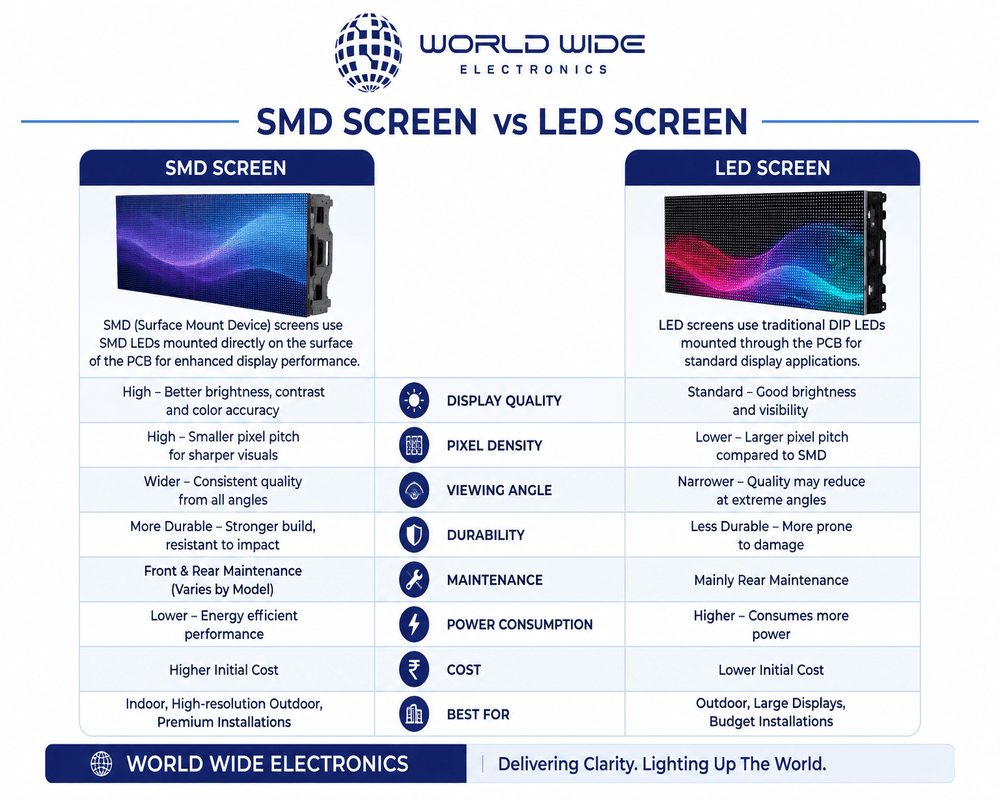
Quick answer: An LED display module is the basic lit panel that makes up an LED screen. Several modules are fixed into a cabinet, and cabinets join to form the full screen. Indoor modules suit close viewing in controlled light, outdoor modules are sealed for sun and weather, and a damaged module should be replaced with one from the same batch to avoid colour mismatch.
If you are planning an SMD LED screens project, the LED display module is the part that decides how the screen looks, how it lasts and how easy it is to repair. Most buyers focus on the overall screen size and price, but the module is where the picture is made. This guide explains the module types, the common module sizes, the difference between indoor and outdoor modules and how to replace a module without a visible colour change.
What Is an LED Display Module?
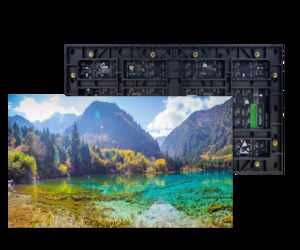
An LED display module is a flat board with rows of LED diodes, a driver circuit and connectors for power and data. Each module carries a fixed block of pixels, and the number and spacing of those pixels define the module’s resolution. Modules are then fixed into a metal or aluminium cabinet, and the cabinets are joined to build the screen.
Because the module is the smallest unit you can replace, it is also the most important part to understand. A screen is only as consistent as its modules. If the modules differ in brightness, colour or pixel layout, the viewer will see the difference across the screen, even when the cabinets look identical from the front.
LED Module Sizes and How They Are Listed
Module sizes are given as a width and a height in millimetres, together with the number of pixels in each direction. The pixel count and the pixel pitch, which is the distance from one pixel centre to the next, decide the sharpness of the picture. The module size on its own does not tell you how sharp the screen will be.
Different manufacturers offer different module formats, and the same pixel pitch can come in more than one module size. When you compare LED module sizes, look at four numbers together: the module width, the module height, the pixel count and the pixel pitch. For a full explanation of how pixel pitch affects the viewing distance, read our guide on SMD screen sizes and pixel pitch. Always confirm the exact module format on the manufacturer’s spec sheet before you design a cabinet layout.
Indoor and Outdoor Modules
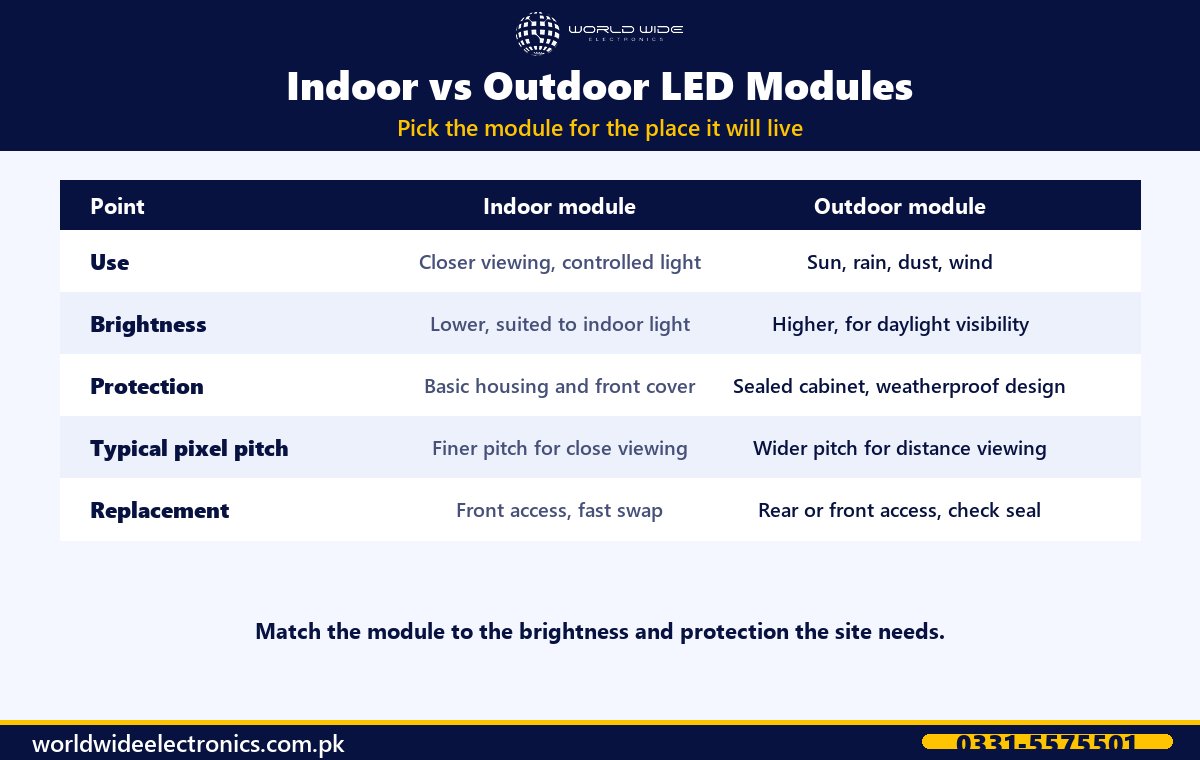
The main choice is between indoor and outdoor modules. The two types look similar but are built for different conditions, and using the wrong one is one of the most common reasons a screen fails early.
- Indoor modules are made for viewers who stand close to the screen, in a room with controlled light. They offer a finer pixel pitch for sharp images at short range. They are not sealed against water or dust, so they must stay indoors.
- Outdoor modules are built for sunlight, rain, dust and temperature changes. They are brighter, so the picture stays clear in daylight, and their cabinets are sealed to a protection rating. They usually have a wider pixel pitch, which suits viewers who stand further away.
A screen that is used both indoors and outdoors needs a clear plan for each location. Ask the supplier whether the module and cabinet are designed for the exact environment, including direct sun and humidity. For a closer look at protection ratings, see our guide on IP65 ratings for outdoor LED screens.
How Module Type Affects Brightness and Colour
Brightness and colour consistency are set at the module level. Two modules from the same model and batch should match closely in brightness and colour. Two modules from different batches can differ enough to show as a stripe or a colour block, especially on a plain white or grey background. This is why the batch matters as much as the model.
The module also sets the power use and the heat in the cabinet. Higher brightness means more heat and more power, and both affect the life of the diodes. Choose a module brightness that matches the place. An indoor screen does not need the brightness of a screen in direct sunlight, and running a module harder than it needs to be run shortens its life.
Module Replacement Without a Colour Mismatch
Modules do fail. A single diode, a driver chip or a connector can stop working after years of use, or after a power surge or water entry. The replacement process decides whether the repair is invisible or whether it leaves a clear patch on the screen.
- Switch off the power to the cabinet and wait for the screen to cool before opening it.
- Note the position of the failed module, including its row and column in the cabinet, and photograph the wiring before you disconnect anything.
- Use an antistatic wrist strap and handle the module by its edges to protect the driver chips.
- Fit a replacement module from the same model and the same batch, if possible. Check that the connectors line up and that the module sits flush.
- Power up the cabinet and check the module for colour, brightness and dead pixels before closing the cabinet.
- Calibrate the cabinet so the new module matches its neighbours. If the screen has a correction profile, load the correction data for that cabinet.
Keep a few spare modules from the original batch for each screen. A spare that matches the batch is the single best way to keep a repair invisible. If the original model is no longer sold, the supplier must check the new module against the existing cabinets before you buy, because a different driver or pixel layout can cause a visible mismatch.
How to Measure a Module Before You Order
Before you order replacement modules, measure the existing module and read its label. Measure the width and height of one module with a steel rule, and measure the gap between the module and the cabinet frame so the new module fits without force. Then count the pixels across and down on one module, or read the pixel count from the spec sheet. These four values give the supplier enough information to match the module to your cabinet.
Look also at the connector type and its position. A module can look the same from the front but use a different data connector or a different power plug on the back. A mismatched connector means the module will not work, even if it fits the frame. Photograph the back of the cabinet and the connectors before you remove anything, so the supplier can check the match from your photos.
Common Module Problems and Their Causes
Most module problems fall into a few groups. Learning them helps you decide whether to replace a module, fix a cable or call a technician.
- Dead pixels or a dark line. Often a single diode or a short on the module board. Replace the module if the pixels stay dark after a power cycle.
- A block of modules off. Usually a cable, a connector or the receiving card for that section, not the modules themselves. Check the data cable first.
- Colour tint across one module. Often a batch difference or a damaged driver. Compare against neighbouring modules before replacing.
- Water marks or corrosion. A sign of water entry, which means the seal on the cabinet has failed. Fix the seal before fitting a new module, or the new module will fail too.
Checklist Before You Order Replacement Modules
- Write down the model, pixel pitch and module size from the cabinet label or the spec sheet.
- Confirm whether the cabinet is indoor or outdoor and check its protection rating.
- Note the batch or serial information on the failed module if it is readable.
- Ask the supplier for spare modules from the same batch and the expected delivery time.
- Keep the cabinet layout and wiring drawing with the screen records.
Related guides: SMD Screen Sizes and Pixel Pitch Guide and 7 Things That Can Damage Your SMD Screen.
Frequently asked questions
What is the difference between an LED module and a cabinet?
The module is the small lit panel with the LED diodes and driver circuit. The cabinet is the metal or aluminium frame that holds several modules together, with power and data connections on the back. Modules are replaced individually, and cabinets are joined to build the full screen.
Can I use an indoor module outdoors?
No. Indoor modules and cabinets are not sealed against rain, dust and sunlight. Using them outdoors leads to water damage, dim pictures and early failure. Use outdoor modules and a sealed outdoor cabinet for any screen that is exposed to weather.
Do all modules of the same size match?
Not always. Modules of the same physical size can have different pixel pitches, driver chips and brightness levels. Always check the model and the pixel pitch, not only the size, before you mix or replace modules.
Why does a replacement module look slightly different?
A new module from a different batch can differ in brightness and colour from the modules around it. Use a spare from the same batch where possible, and calibrate the cabinet after the replacement so the difference is reduced.