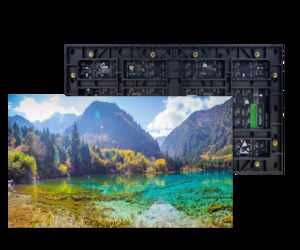
Quick answer: An SMD screen power supply converts mains AC into the low-voltage DC that the LED modules need, most often 5V for indoor SMD modules. To choose or replace one, match the output voltage exactly, make sure the wattage is high enough for the cabinets it feeds with a safety margin, and check the input range and IP rating for the place where it will be installed. A failed unit usually shows up as a dark cabinet, a flickering section or a unit that feels very hot. Faults that start in the power supply are covered in our common SMD screen problems guide.
We distribute the Qiangli range, but the checks below work whichever supplier you buy from. The power supply is one of the least visible parts of an SMD screen, yet it decides whether the modules get clean, stable power all day. When a cabinet goes dark, many people check the content or the controller first. Often the fault is in the power supply or its wiring, and a careful check of the rating and the wiring saves time and money.
What an SMD Screen Power Supply Does
Mains electricity is alternating current at a high voltage. SMD modules run on direct current at a much lower voltage. The power supply takes the mains input, converts it to DC at the voltage the modules need, and delivers enough current for every module it feeds. Most indoor SMD modules use a 5V supply, but always confirm the voltage on the module or cabinet label rather than assuming it.
In a typical installation, one or more power units sit inside or next to the cabinets. Short DC cables carry power from each unit to the cabinets, and the receiving cards and modules draw from that supply. If one unit fails, only the cabinets it feeds go dark. That is why a fault often looks like a missing section rather than a whole dead screen.
Types of Power Supply and Where They Are Used
Most SMD screens use switching power supplies, which are compact and efficient. The main differences between units are the output rating, the input range, the enclosure and the protection they offer. The choice depends on where the unit is installed, not only on the size of the screen.
| Type | Typical use | What to check |
|---|---|---|
| Indoor enclosed unit | Shops, halls, offices and conference rooms | Correct voltage, enough wattage and good ventilation |
| Outdoor sealed unit | Facades, billboards and open-air screens | IP rating for dust and water, and protection from heat |
| Replacement unit | Repairs on an existing screen | Exact voltage, connector type and mounting size |
Indoor and outdoor units are not interchangeable. An indoor unit with no sealing can fail quickly in humid or dusty conditions, and it should not be placed where rain or direct sun can reach it.
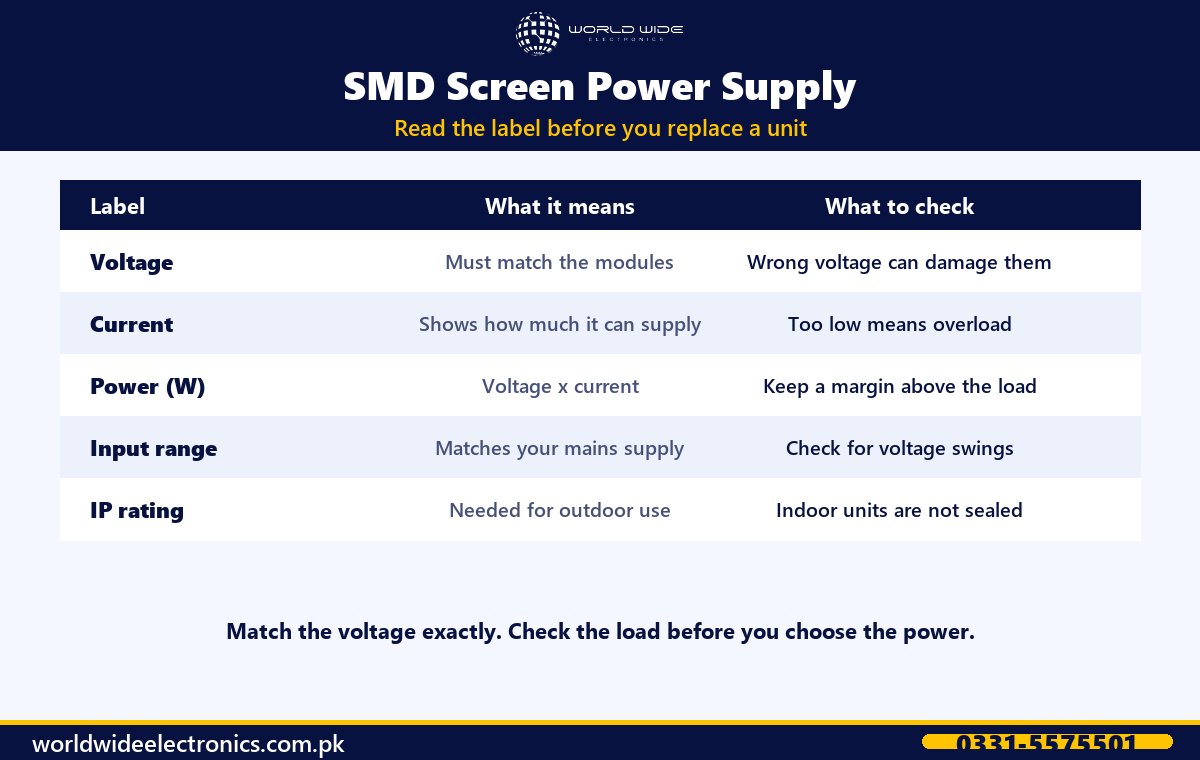
How to Read the Rating Label
Every power supply has a label that lists its main values. Four of them matter most for an SMD screen:
- Output voltage. This must match the modules. A wrong voltage can damage the modules or stop them working.
- Output current. This is the maximum current the unit can supply, in amps.
- Output power. Calculate it as voltage times current. For example, a 5V unit rated at 40A supplies 5 x 40 = 200 watts.
- Input range. This shows the mains voltage the unit accepts. Check it against the supply at your site, especially where voltage often swings.
The IP rating on the label shows how well the unit is protected against dust and water. Indoor units do not need a high IP rating, but outdoor units should have one that matches the exposure.
How to Size the Power Supply
The power a unit needs depends on the modules it feeds. Use these steps to check the load:
- Find the maximum power of one cabinet. Use the value in the module or cabinet specification sheet. Do not use the typical value for a bright or white test pattern if the spec gives a maximum.
- Multiply by the number of cabinets on the unit. This gives the total load in watts.
- Add a margin. Choose a unit with more wattage than the total load, and follow the margin recommended by the manufacturer. Running a unit at its limit all the time shortens its life.
- Check the wiring length. On long DC runs, voltage drops along the cable. Keep the runs short where you can, and use cable thick enough for the current.
If the calculation is close to the limit, ask the supplier to review the layout before you buy. A small change in how the cabinets are split between units can make a large difference to the stability of the screen.
Common Power Supply Faults
Most power faults show a few clear signs. Use them to narrow down the cause before you open anything:
- One cabinet or section is dark. The unit feeding that section may have failed, or its output cable may be loose.
- The screen flickers in one area. The supply may be unstable, overloaded or overheating, or a connector may be loose.
- The whole screen is off. Check the mains supply, the main switch and the input fuse first. If the input is fine, the unit may have failed.
- The unit is very hot or smells of burning. Switch off the mains supply at once and call a qualified electrician. Do not restart the unit.
- A buzzing or crackling noise. This can mean an overload, a loose connection or a unit near the end of its life.
Overheating is often caused by poor ventilation, not by the unit itself. Check that the enclosure has airflow and that nothing blocks the vents. Dust build-up is a common cause in outdoor installations, so inspect the filters and seals on a regular schedule.
Safety Before You Test or Replace a Unit
Power supplies carry mains voltage on the input side, even when the screen looks switched off. Before you open a unit or disconnect a cable:
- Switch off the mains supply at the breaker, not only at the screen controller.
- Wait for the unit to cool and check that the capacitors have discharged, if your electrician uses that check.
- Use insulated tools and keep one hand clear of live parts.
- Do not open a sealed outdoor unit in the rain or with wet hands.
If you are not sure about any step, ask a qualified electrician to do the work. A replacement that is wired wrongly can damage the modules and create a safety hazard.
Routine Checks That Prevent Failures
Most power units fail slowly before they fail completely. A short check every few months catches the warning signs early, and it costs far less than an emergency call to a screen that is dark during an event or opening hours. Keep a simple record for each unit, with the date, the load it feeds and anything unusual you noticed.
- Look at the cables. Check for loose plugs, scorched connectors and cable jackets that have cracked or rubbed through.
- Feel the enclosure carefully. A unit that runs much hotter than its neighbours has a fault or a ventilation problem. Only check it with the power off.
- Clean the vents and filters. Dust blocks airflow, and blocked airflow is a common reason for early failure in both indoor and outdoor units.
- Check the seals on outdoor units. A damaged seal lets in water and insects, which can cause a short circuit.
- Measure the output voltage when the screen is on, if you have a qualified technician. A voltage that drifts away from the rating points to a unit that is starting to fail.
How to Choose a Replacement Unit
When a unit fails, the safest replacement is the same model or one with identical specifications. If that is not available, check these points before you buy:
- Voltage. The output must match the modules exactly.
- Wattage. The new unit must cover the load of the cabinets it feeds, with a margin.
- Connectors and mounting. The cable plugs and the mounting size must fit the existing installation without modification.
- Protection. Choose an IP rating that suits the location, and look for the safety marks listed on the label.
- Warranty and support. Ask the supplier what the warranty covers and how long a replacement takes. Confirm the terms in writing before you order.
For a wider view of what protects a screen from damage, including power and environment, read our guide on 7 things that can damage your SMD screen.
Related guides: 7 Things That Can Damage Your SMD Screen and SMD Controller for LED Display: Complete Guide.
Frequently asked questions
Can I use a higher-wattage power supply to replace a smaller one?
Yes, as long as the voltage is exactly the same and the unit fits the mounting and connectors. A higher wattage gives more margin, but the voltage must still match the modules. Never change the voltage to suit a different unit.
How often should a power supply be replaced?
There is no fixed age. Replace a unit when it fails, shows signs of overheating or repeated faults, or when the load on it has grown beyond its rating. Regular inspection of ventilation, connections and seals helps a unit last longer.
Why does one cabinet go dark when the others are working?
Check the power supply that feeds that cabinet and its output cable first. A loose connector or a failed unit is a common cause. If the power is fine, the fault may be in the receiving card or the data cable, which needs a separate check.
Is an outdoor power supply needed for an indoor screen?
Not usually. Indoor screens need an indoor unit with enough wattage and ventilation. An outdoor unit is designed for dust and water exposure, and it is not a reason to choose a larger or safer product for an indoor installation unless the room has harsh conditions.